Quick View
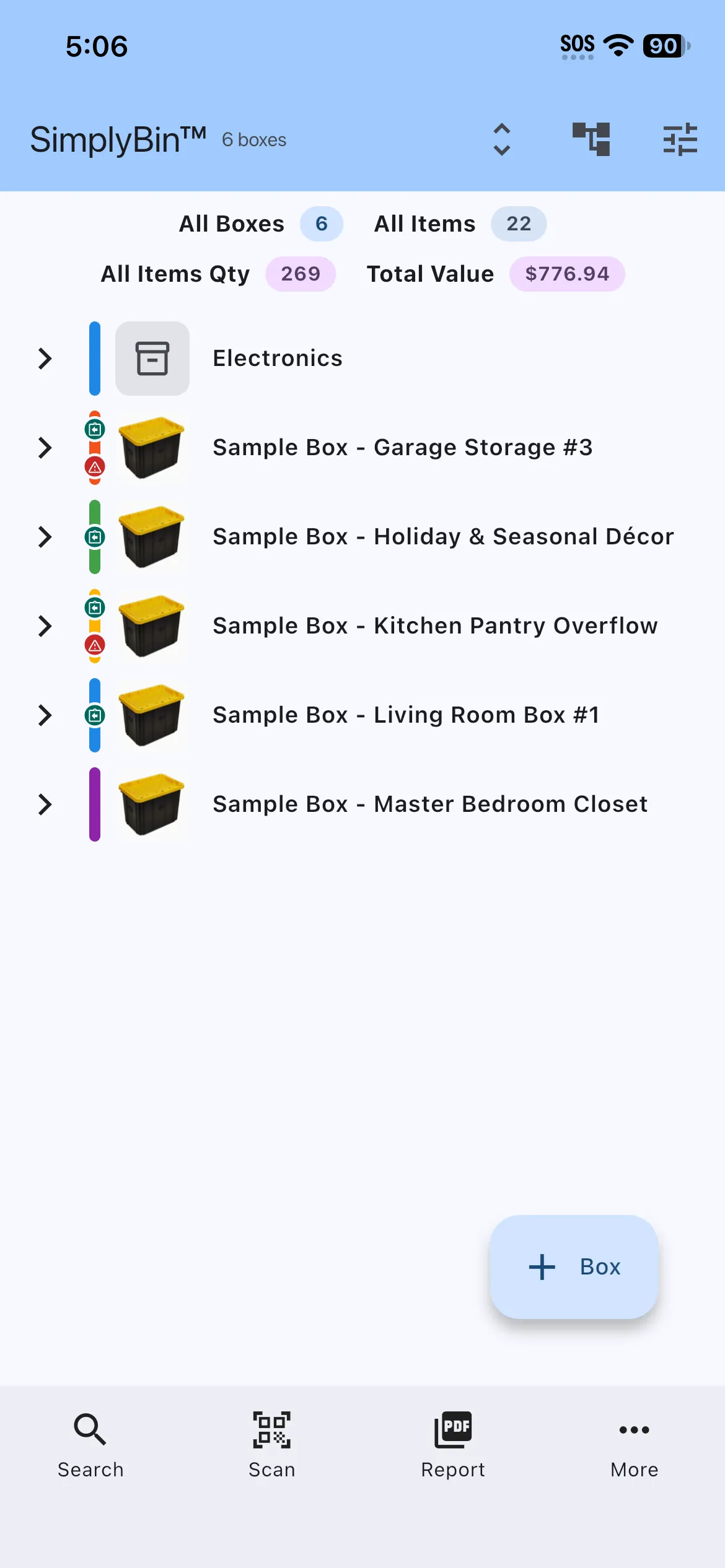
Free + PremiumA compact tree of every box and its items on one screen — expand, collapse, and scan your whole inventory without opening a single box.
- See every box and its items in a single collapsible tree
- Expand All / Collapse All to scan as much or as little as you need
- Perfect for “which box is it in?” moments without opening each box
- Respects your filters — Quick View mirrors the filtered Home list
- Free for up to 5 boxes — Premium removes the limit
Quick View swaps the Home screen’s box cards for a compact tree: every box with its items nested underneath. Expand the branches you care about, or Expand All to see your entire inventory on one scrolling page.
It is the fastest way to answer “which box is that in?” — free for up to 5 boxes, and unlimited with Premium once your collection outgrows the card view.
More features
Boxes & Items
Create storage boxes, fill them with items, and always know what is inside. The heart of SimplyBin™ — free up to 15 boxes and 150 items.
Quick Add Boxes
Label-first setup: create and print a whole shelf of QR-labeled boxes before you fill a single one — free on every plan.
QR Labels
Print QR labels for every box — plain paper or Avery 94101/94106 sheets — and scan to see what is inside without opening a lid.