Photo Inventory
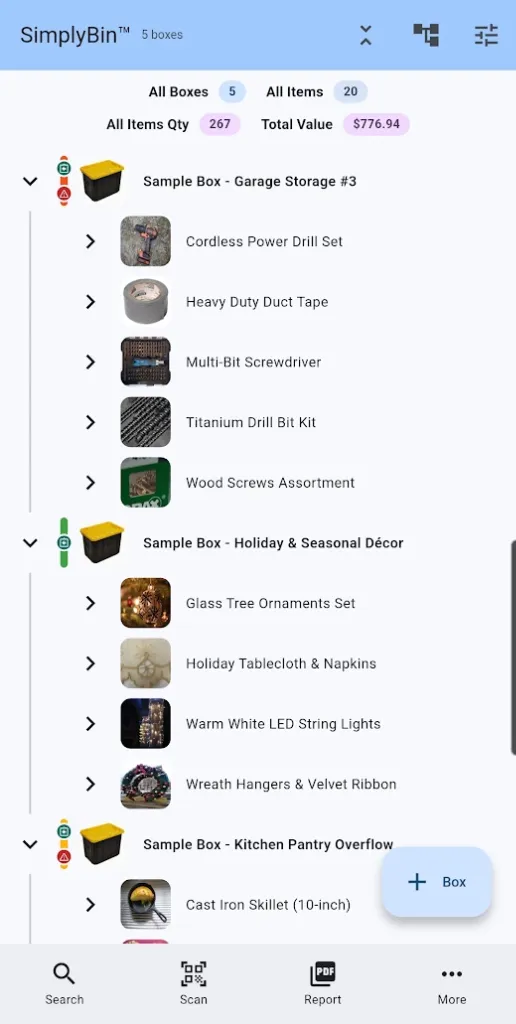
Free + PremiumAdd a photo to every box and item so you recognize what is stored at a glance — optimized automatically and stored on your device.
- One photo per box and per item — thumbnails in lists, full view on detail screens
- Attach photos right in the item input row while creating a box
- Automatic optimization: correct orientation, consistent JPEG, no upscaling
- GPS and other metadata are stripped — only the pixels are kept
- Standard quality (Free) keeps photos small; High quality (Premium) preserves detail
- Photos travel in backups and appear in PDF reports
A photo beats a paragraph. Add a picture to every box and item and you will recognize what is inside without opening a lid — thumbnails show up in lists, search results, and reports.
Every photo is optimized automatically: orientation fixed, converted to JPEG, compressed for the device. Free saves Standard quality (~1600px); Premium saves High quality (~3000px) for clearer detail on collectibles, serial plates, and receipts.
More features
Boxes & Items
Create storage boxes, fill them with items, and always know what is inside. The heart of SimplyBin™ — free up to 15 boxes and 150 items.
Quick Add Boxes
Label-first setup: create and print a whole shelf of QR-labeled boxes before you fill a single one — free on every plan.
QR Labels
Print QR labels for every box — plain paper or Avery 94101/94106 sheets — and scan to see what is inside without opening a lid.